
Ways to accept payments
How it works
-
Choose your payment solution
Find the payment solution that best fits your business. Compare options or talk to a business banking specialist. You can use our mobile terminal or app solutions, or bring your own terminal solution if you prefer.
-
Open a merchant facility
To accept card payments, complete the merchant services application form. You’ll need a Business Edge account for settlement. Once set up, you'll be ready to receive payments in-store, online or on the go.
-
Accept payments from customers
Your chosen payment solution lets you accept payments in-store, online or on the go. Customers can pay using cards or mobile wallets.
-
Settlement of funds
After a payment is made, the funds are processed and settled into your nominated business account — usually within one to two business days.
-
Manage & track your payments
Access real-time reporting and transaction history through your merchant portal or app, if applicable.
-
Support & security
We have support for troubleshooting and guidance on security, including fraud prevention and PCI compliance.
Tap to Pay on iPhone with QuickPay+
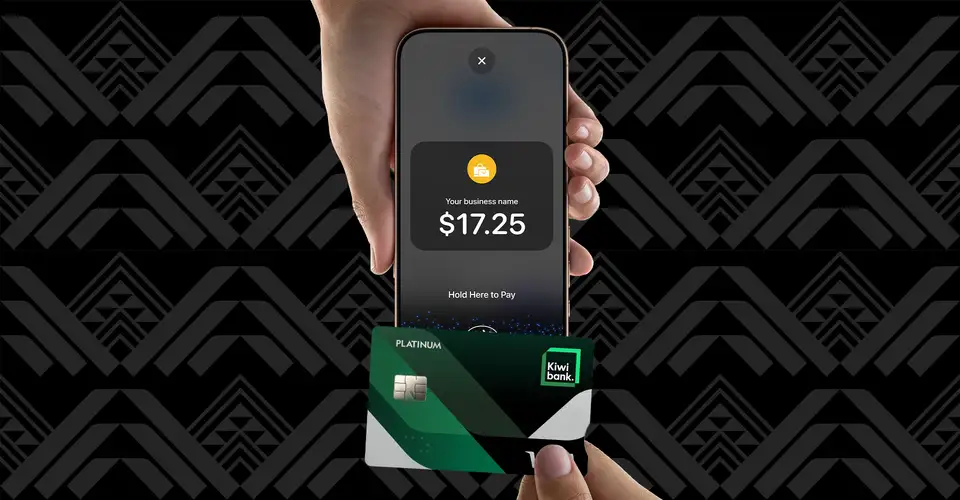
With Tap to Pay on iPhone and QuickPay+, you can accept all types of in-person, contactless payments on your iPhone — no extra terminals or hardware needed.
Staying safe online for merchants

Accepting card payments
If your business processes card transactions, you'll need to comply with the Payment Card Industry Data Security Standard (PCI DSS).

Avoiding card fraud
Learn how your business can minimise the risk and cost of fraudulent card transactions.

Keeping safe online
We take protecting you and your money seriously. Take a look at the measures we have in place when you're banking online.
Let's get you set up with a merchant facility
If you’d like to set up a merchant facility with us complete the application form, or if you’d just like to find out more about merchant services, get in touch with our business banking team.
Enquire online
Complete our online form and one of business banking specialists will get back to you within one to three working days.
Enquire onlineApply now
Fill out an application form to apply for a merchant facility and email it to merchantservices@kiwibank.co.nz.
Apply nowCall us
Call our merchant services team on 0800 233 824, or +64 4 803 1646 if you’re calling from overseas, Monday to Friday, 8 am – 4.30 pm.
Call 0800 233 824