-
1
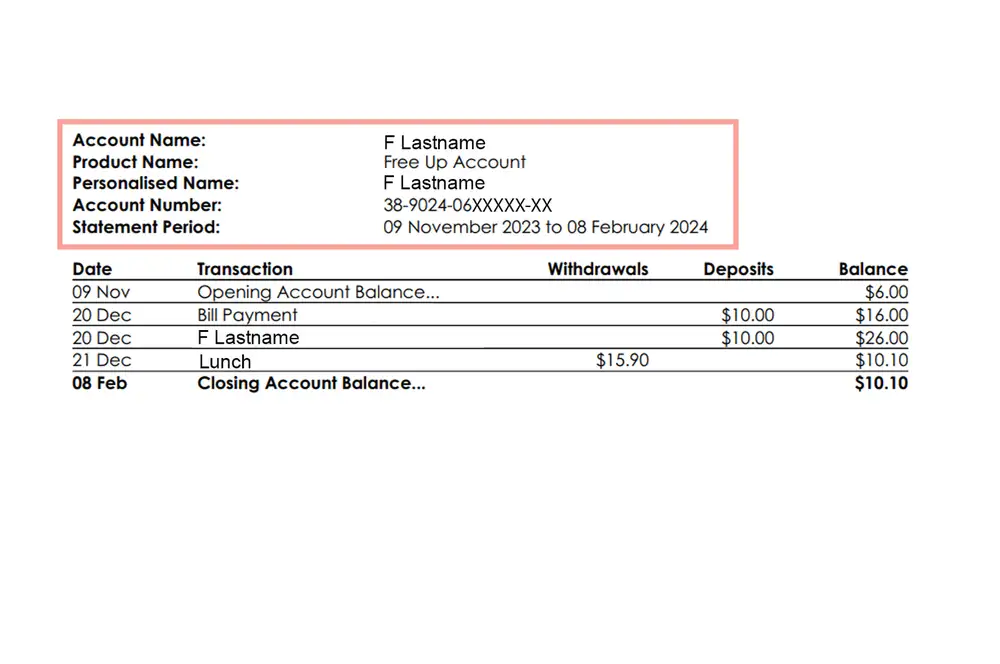
Account details
This outlines your account name, number and balance as at the end of the statement period. You'll also see your account details on the last page of your statement.
-
2
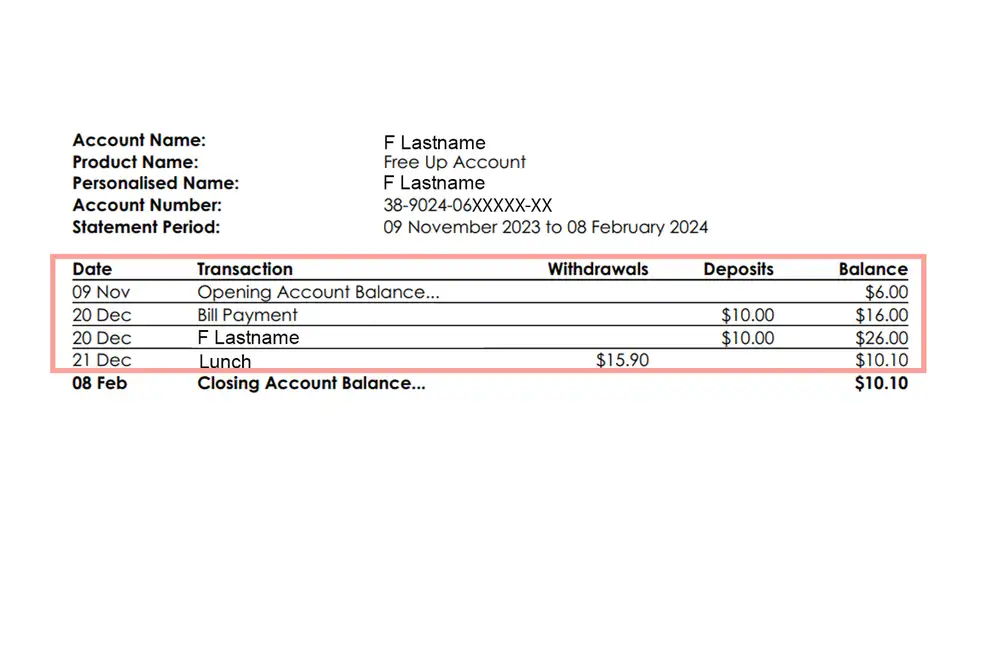
Transaction details
This dates and outlines all the withdrawals (purchases and payments), deposits and interest or fees charged to your account during the statement period. It also gives you a running account balance on the right hand side after each transaction.
-
3
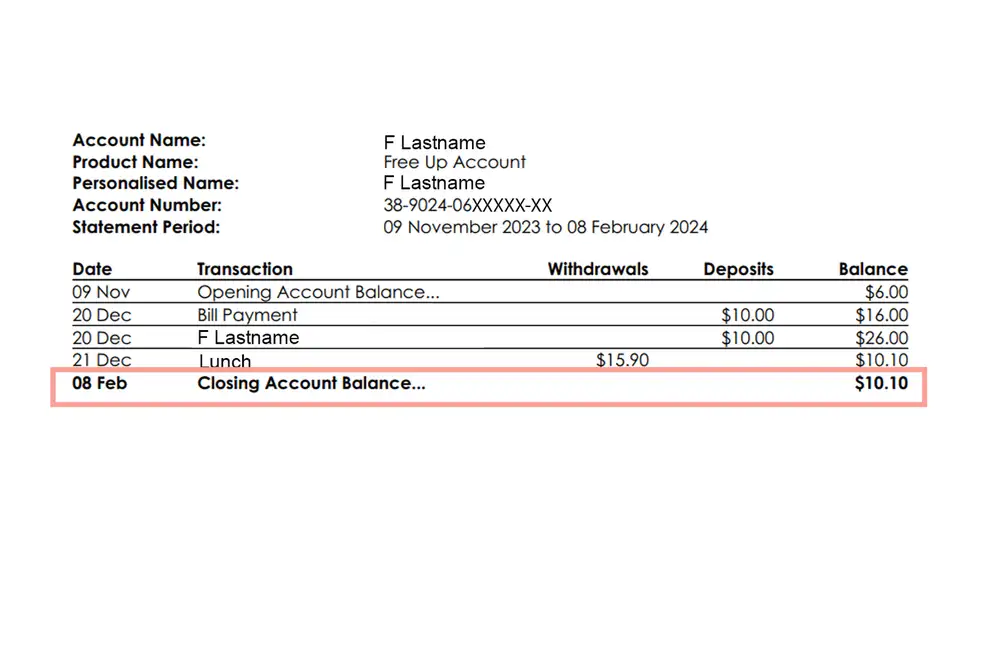
Closing account balance
This is the total amount available in your account at the end of the statement period.
Common acronyms & abbreviations
The transaction details on your statement can have acronyms and abbreviations. Some of the most common ones used by banks are listed below.
AP |
Automatic payment. |
BP |
Bill payment. |
DC |
Direct credit. Regular payments, often by businesses, to a group of people. For example, payroll and supplier payments. |
DD |
Direct debit. Regular payments from your account that you've given organisations the authority to take automatically. |
EFTPOS |
Electronic funds transfer at point of sale. |
INT |
Interest. |
POS |
Point of sale. Usually shown on your statement for an in-store EFTPOS transaction. |
POSREJ |
Point of sale rejected. This means that you’ve attempted a transaction in-store with your card but it declined. This shows temporarily and your account balance has not changed. |
TRF / XFR |
Transfer. |
TXN |
Transaction. For example, "international TXN fee". |
W/D |
Withdrawal. |