You can re-fix up to 30 days before your current term ends, with peace of mind.
When your new fixed term starts, you’ll get whichever rate is lower:
- the rate you chose when you re‑fixed, or
- the latest advertised fixed rate for that term.
If the advertised rate increases, we'll honour the rate you re-fixed at. If rates drop, your repayments will reduce unless you ask us to keep them the same.
Your current fixed term will continue until it ends. If you don’t re‑fix, you’ll automatically roll onto a variable interest rate.
Mobile app
Before you start
You’ll need an email address on your account to complete your re‑fix online. See how to check or update your email address.
-
1 / 3
Choose your new fixed rate
- Log in to the mobile app.
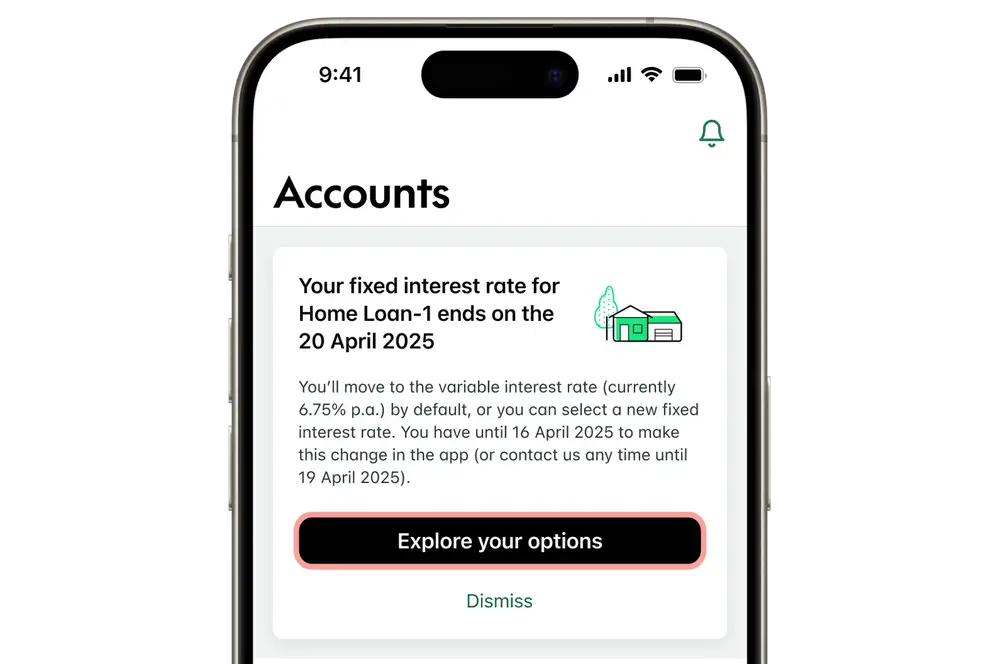
- When your fixed rate is about to expire, you'll see a message. Tap 'Explore your options'.
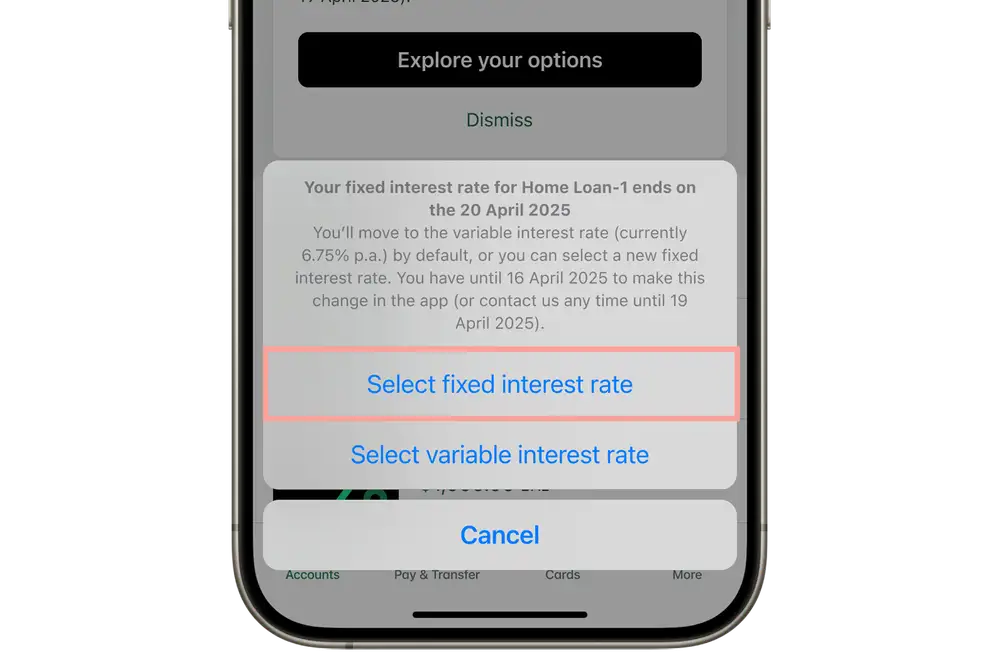
- Tap 'Select fixed interest rate'.
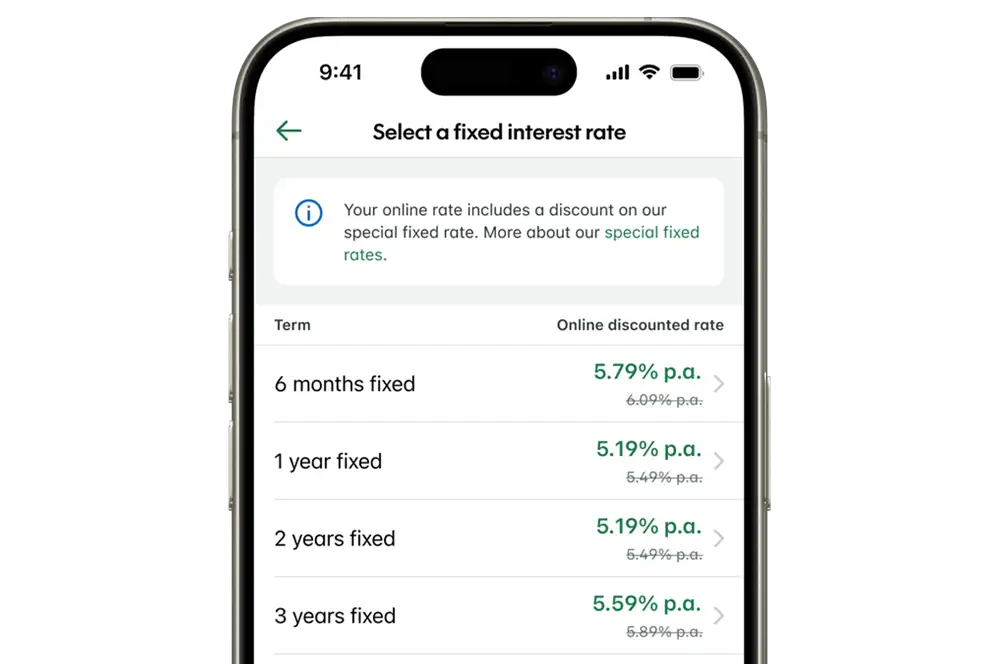
- Select the new fixed interest rate and term you'd like to have next.
-
2 / 3
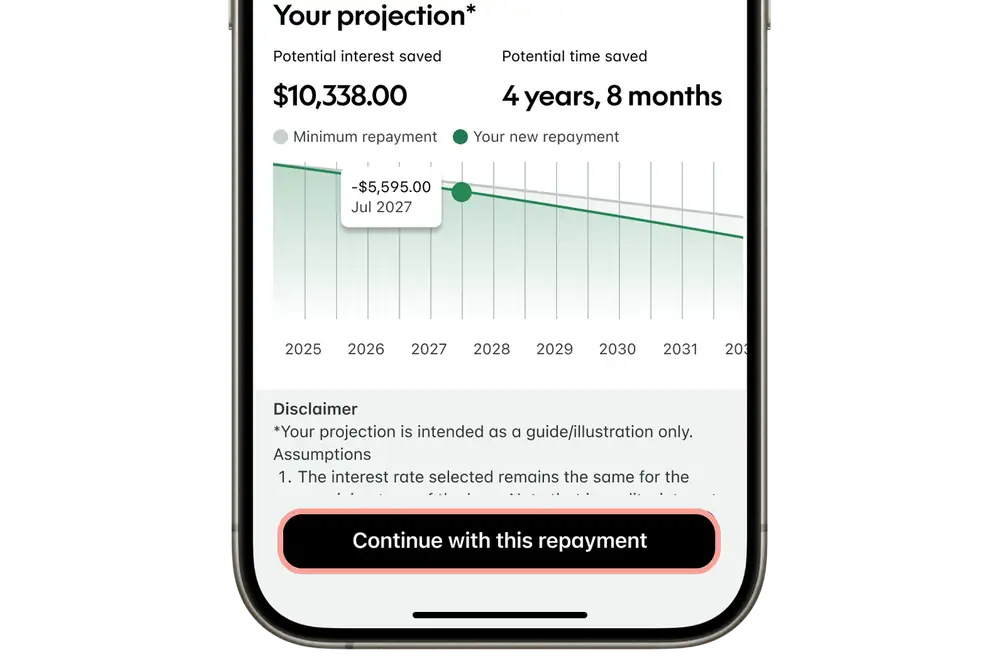
Review your repayments
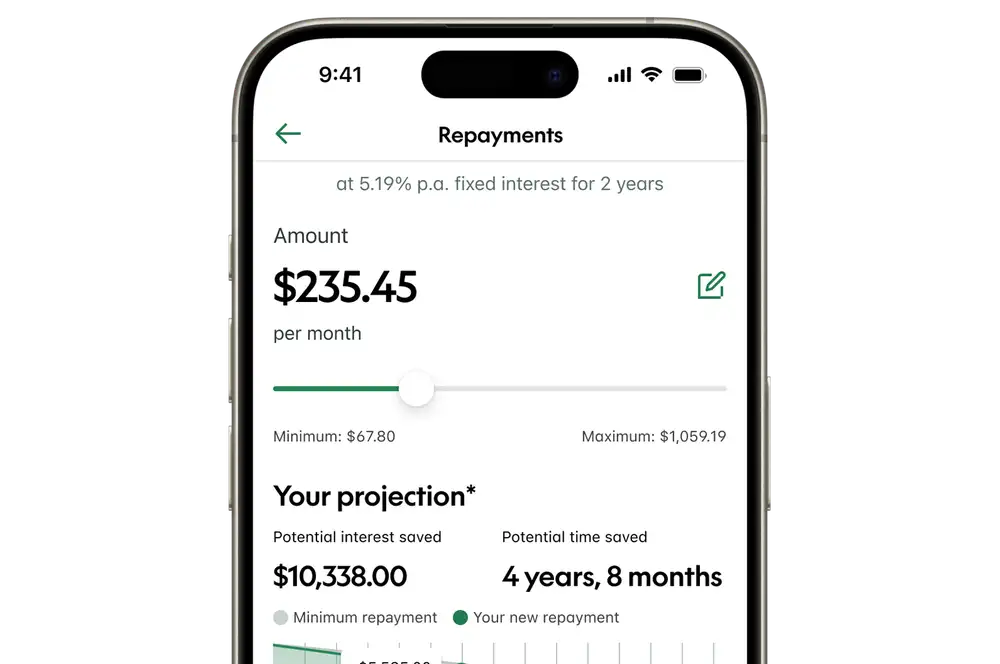
Move the slider left or right to adjust your repayments.
- A higher repayment amount could mean that your home loan gets paid off faster and you'll pay less interest in the long run.
- Repaying the minimum amount could give you more flexibility now, but you might not pay off your loan as fast as if you select a higher repayment amount.
-
3 / 3
Confirm your new rate & repayment amount
- Scroll to the bottom of the screen, and tap 'Continue with this repayment'.
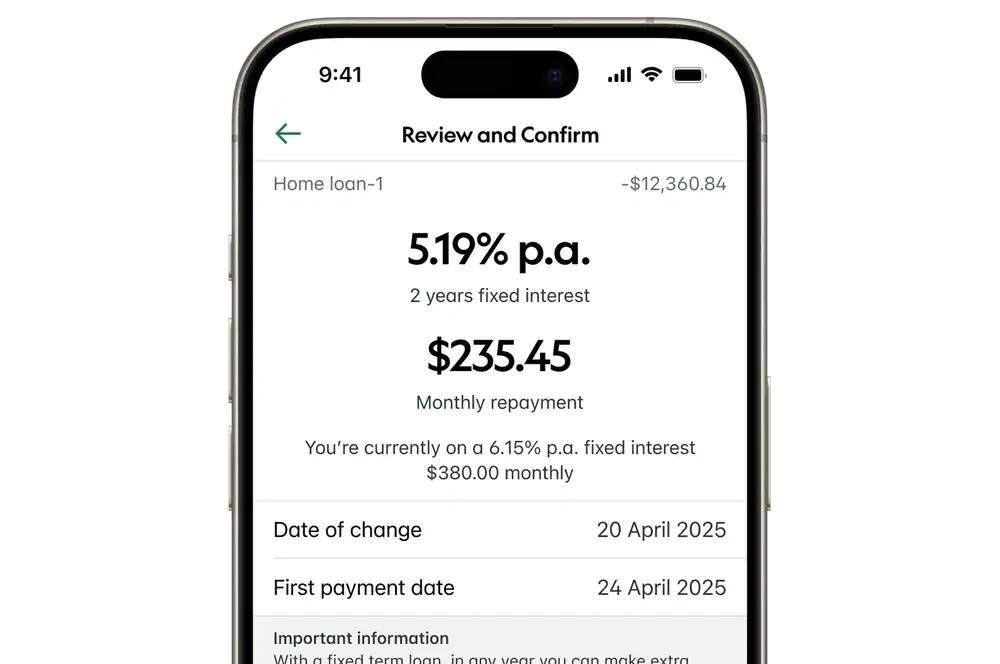
- Review the details you've selected.
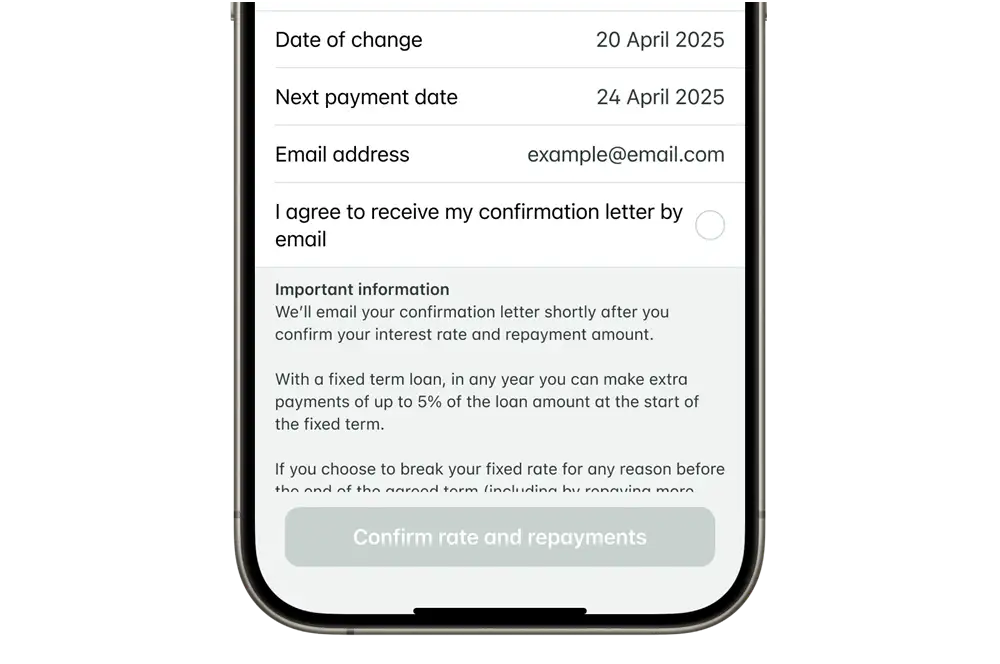
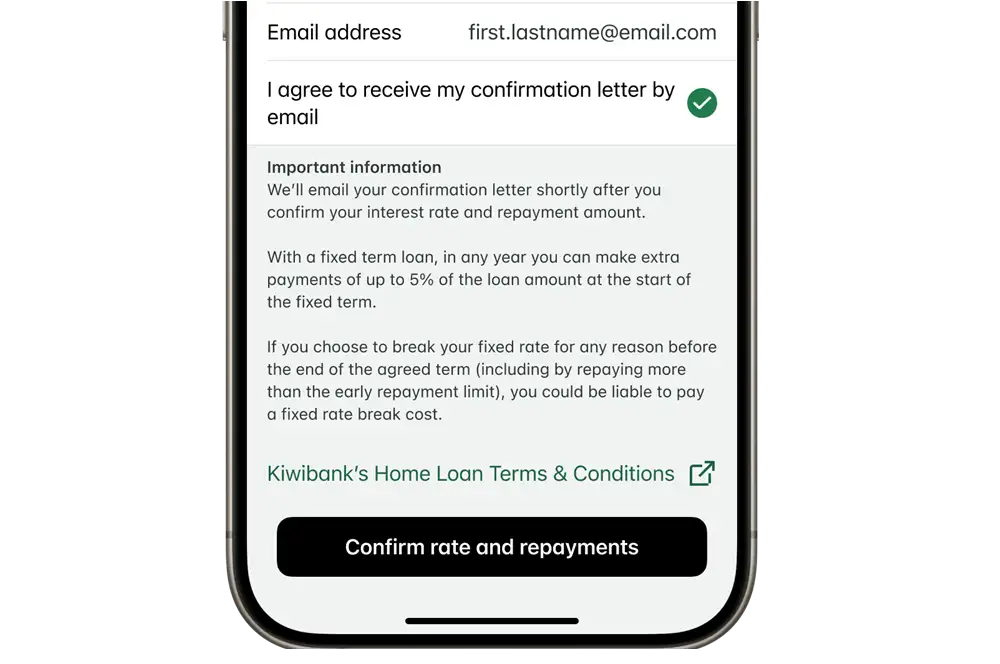
- Tap the checkbox next to 'I agree to receive your confirmation letter by email'.
- Tap 'Confirm rate and repayments'.
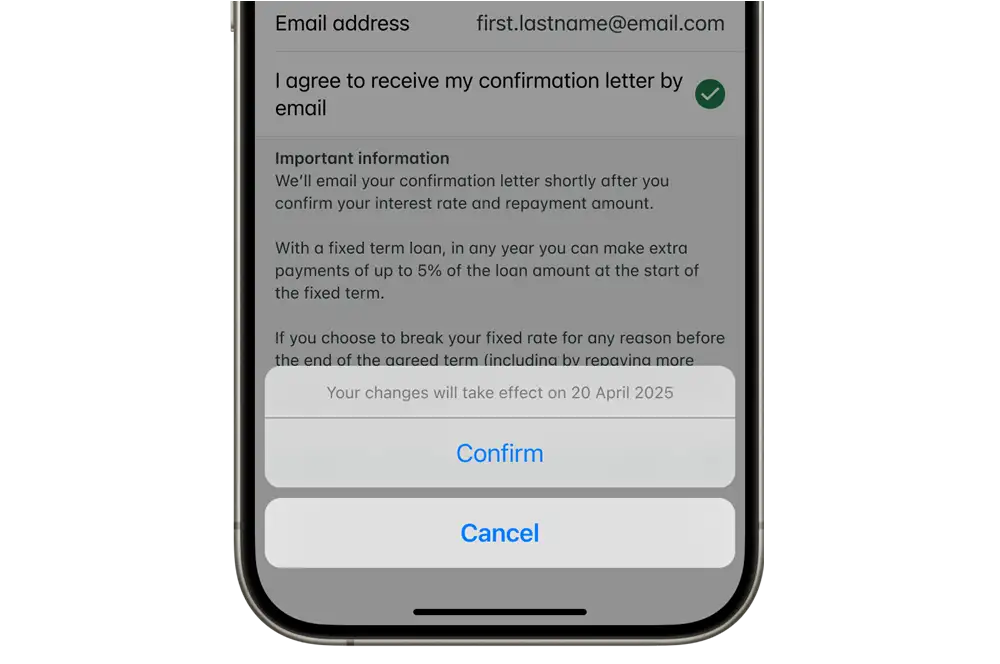
- Tap 'Confirm' to lock in the new interest rate. If you're not sure, tap 'Cancel' to go back to review your options.
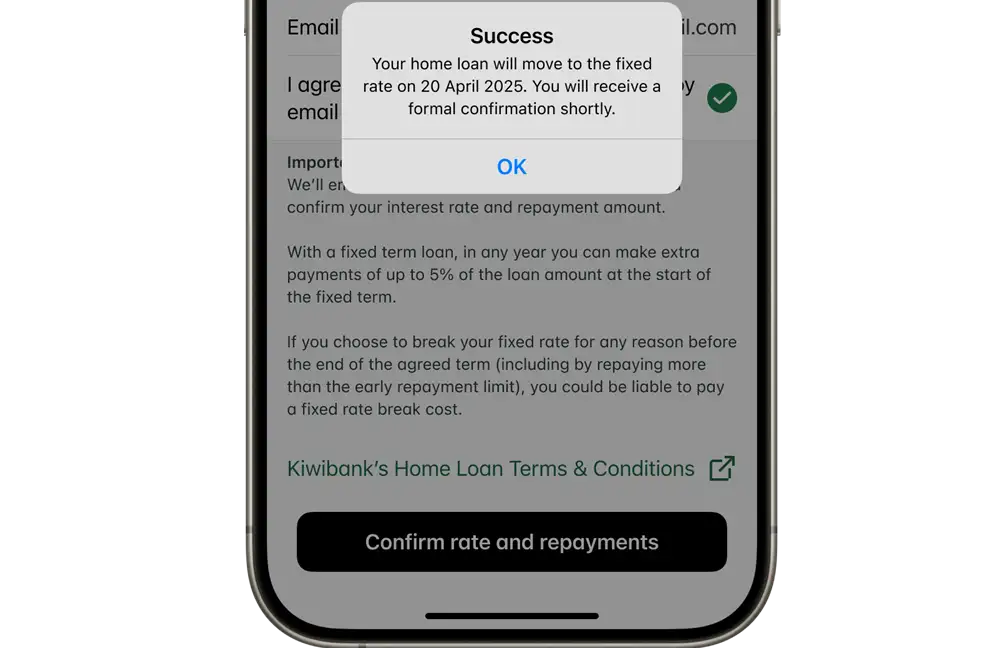
- Tap 'Ok' on the success message.
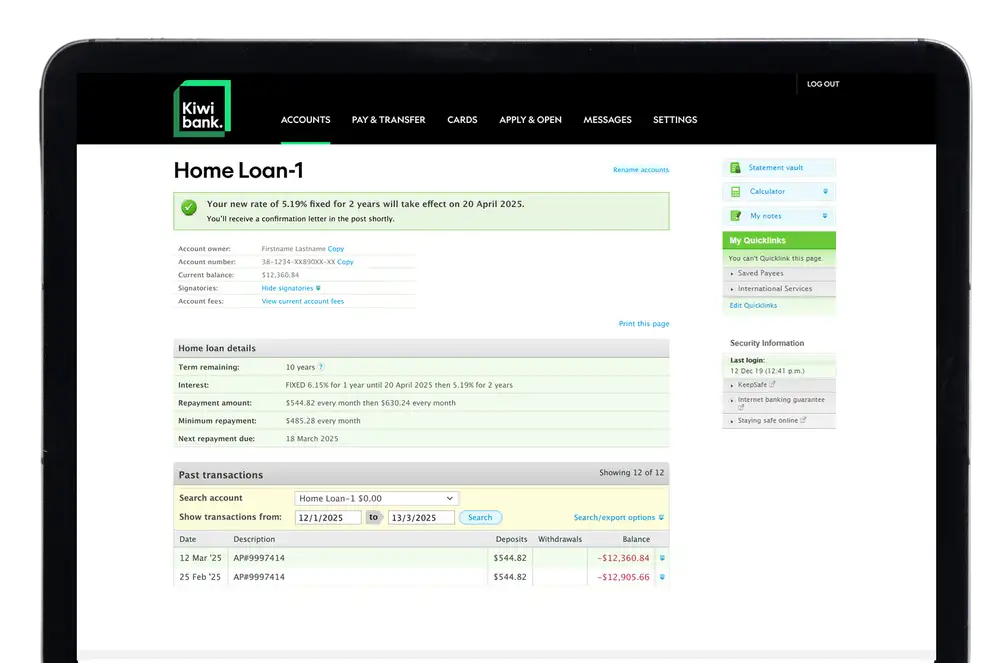
You’ll see a final confirmation showing when your changes take effect and your updated account details.
We’ll email your confirmation letter and send a copy by mail. If you have a joint loan, the other borrower will receive their letter by mail.
Internet banking
Before you start
You’ll need an email address on your account to complete your re‑fix online. See how to check or update your email address.
-
1 / 3
Choose your new fixed rate
- Log in to internet banking.
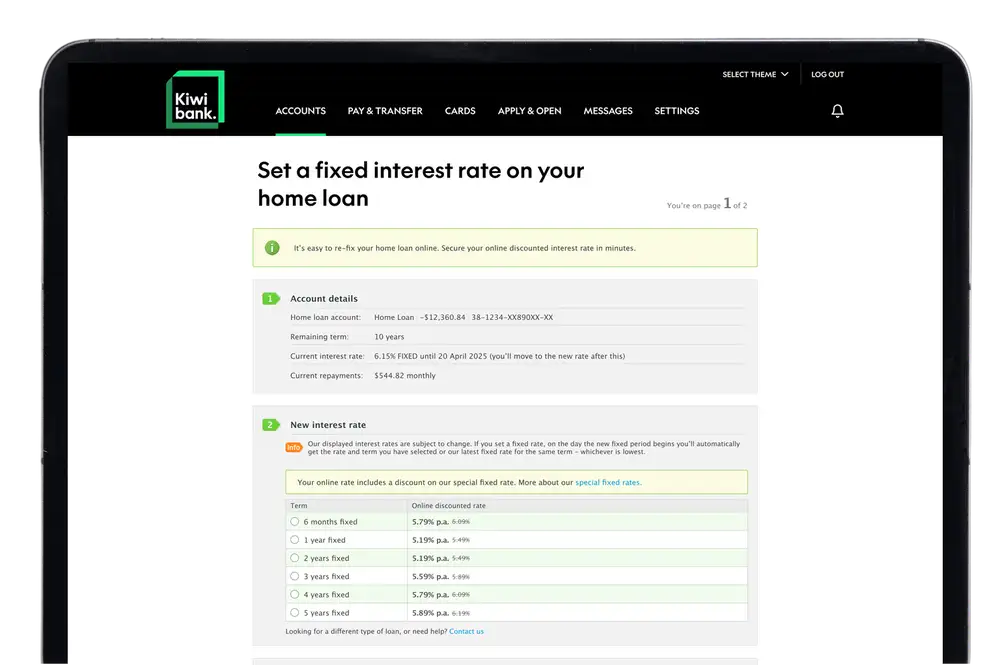
- Select your home loan account.
- When your fixed rate is about to expire, you'll see a message. Click 'Choose a new fixed rate'.
- Select the new fixed interest rate and term you'd like next.
- Click 'Next page'.
-
2 / 3
Review your repayments
Review the details you've selected. You can move the slider left or right to adjust your repayments.
- A higher repayment amount could mean that your home loan gets paid off faster and you'll pay less interest in the long run.
- Repaying the minimum amount could give you more flexibility now, but you might not pay off your loan as fast as if you select a higher repayment amount.
-
3 / 3
Confirm your new rate & repayment amount
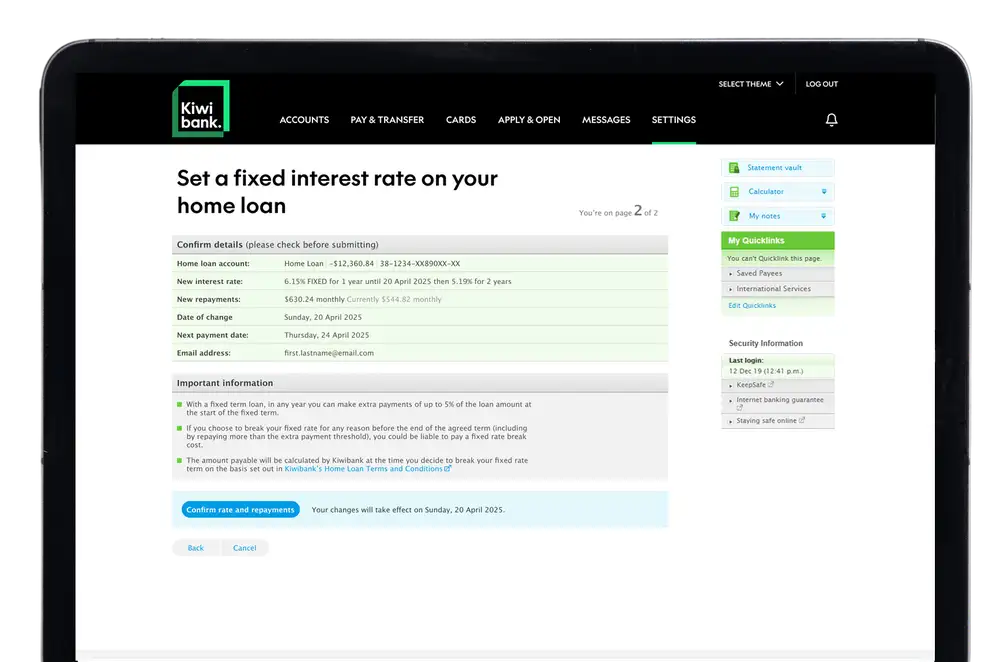
- Select the checkbox next to 'I agree to receive your confirmation letter by email'.
- Click 'Confirm rate and repayments'. If you're not sure, you can click 'Back' to review your options.
You’ll see a final confirmation showing when your changes take effect and your updated account details.
We’ll email your confirmation letter and send a copy by mail. If you have a joint loan, the other borrower will receive their letter by mail.
Talk to us
Talk to us via secure mail to re-fix
Re-fixing online is the quickest way to secure any discounted rate you're eligible for, but you can also send us a secure message.
If you'd prefer to talk to someone on the phone, call 0800 000 654.
Details to include in your secure mail
- Subject line: 'Home loan re-fix'
- Home loan account number: The last two digits of your home loan account number
- Loan term: E.g. 're-fix for 1 year'
- Interest rate: The rate you'd like to lock in — see current interest rates
- Requested repayment amount: Specify whether you'd like to pay the minimum amount, a new set amount, or keep your repayments the same.
- Preferred contact number: Mobile phone or landline
You can also request other home loan changes such as:
- Making a lump sum payment: Include the relevant account number to make the lump sum payment from.
- Structuring your home loan differently: Tell us whether you'd like to split your home loan into multiple loans or combine existing loans and include details of which loan accounts. Fees apply.
Things to know
- Re-fixing doesn't replace your current fixed term — this term will continue until it expires.
- If your current fixed term ends while we're processing your request, it might roll onto a variable rate until processing is complete. We’ll ensure the fixed rate is applied from the date your new term starts and we'll adjust your interest if needed.
- There are no fees for re-fixing your home loan within the 30 day re-fix window. If you're requesting something with a cost associated, we'll let you know.
- There may be a delay between the secure mail confirmation of your new rate, and the new rate appearing in your mobile app and internet banking.
- When your home loan has been re-fixed, we’ll send you an email or letter to confirm the details of your new fixed rate period.
Home loan standard terms and conditions
Displayed interest rates are subject to change. Kiwibank’s lending criteria, terms and conditions, and fees apply.